Keyboard and Bell Settings Menu
This is the Keyboard and Bell Settings menu:
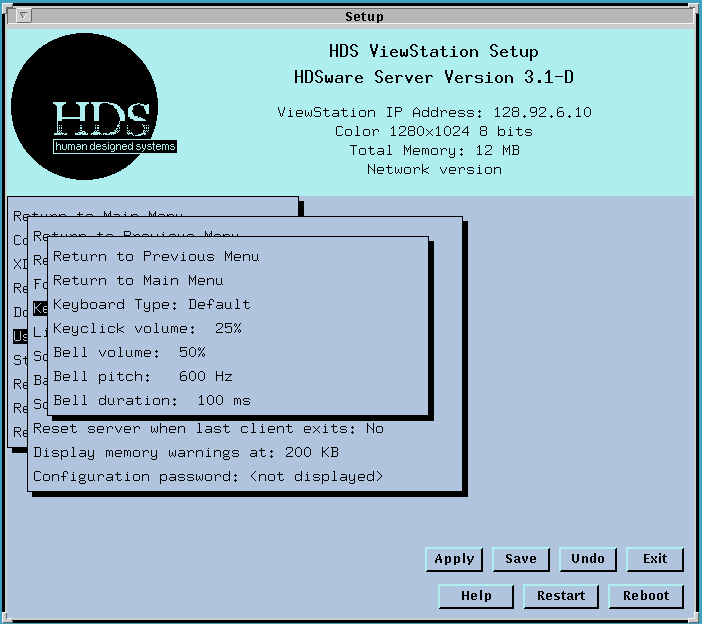
The Keyboard Type field is for multinational keyboards. The settings select special keyboard types which have keyboard maps stored in the ViewStation firmware. If you want other keyboard settings, you can generate your own xmodmap file. These entries are a convenience to international ViewStation users.
The Keyclick volume field lets you set the volume of the keyclick. Values are 0, 25%, 50%, 75%, and 100%. Clicking the mouse button on this field selects each value in turn. When you select a value, the keyclick sounds so you know its volume and can make the selection.
The Bell volume field lets you set the volume of the bell. Values are 0, 25%, 50%, 75%, and 100%. Clicking the mouse button on this field selects each value in turn. When a value is selected, the bell is rung so you can see how loud the setting is.
The Bell pitch field lets you select the frequency of the bell tone. Values may be from 100 Hz to 10 KHz, but values around 600 Hz are typical. When you enter a new value, save it in NVM, then return to this menu and try it by selecting different Bell volume settings, which actually rings the bell.
The Bell duration field lets you select the length of the bell sound. Values about 10 ms. are typical. To enter a new bell duration, move to this field and click the mouse button.
 Return to the Home Page