Console Window Password Protection
Commands in the Console Window that control the ViewStation's internal operation are divided into two groups, with sensitive commands being password protected.
This is the summary of Console Window commands.
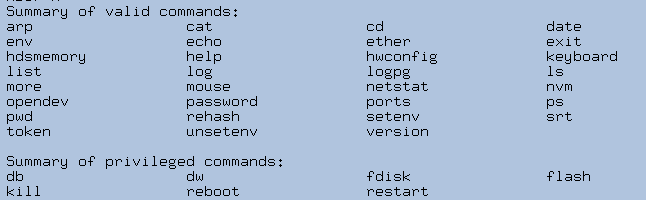
You must enter the password to use any privileged command, including password change.
HDSperx Password Protection
The HDS ViewStation's local clients can be individually password protected by means of client attributes in the clients.config file. These clients include the HDSperx clients and also many shell commands.
Each client has an entry in the clients.config file. The "passwdRequired" attribute can be added to these entries to make the client password protected.
If the passwdRequired attribute is set to true, the client can only be run if the ViewStation user has been able to present the ViewStation's password before attempting to start the client. The password is entered by using the 'password' command in the HDS Console Window.
Almost all Console shell commands can be password protected. You must set passwdRequired for the commands shown in the table above (except the "privileged" commands, which already have it set). Some commands cannot be used with the passwdRequired resource since they are integral parts of the shell itself; these commands are:
cd,
echo, env, exit, password, setenv, unsetenv Return to the Home Page